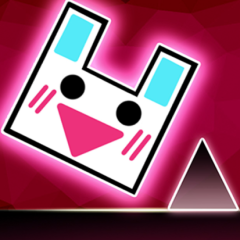
Geometry Jump is a fast-paced rhythm platformer where you guide a geometric cube through dangerous obstacles using precise jumps and quick reflexes.
Jump, fly, and survive every level
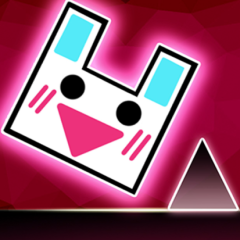
Geometry Jump takes place in a colorful 2D world filled with spikes, moving platforms, and dangerous gaps. Your goal is simple: reach the finish line without crashing into anything.
Memorize trap layouts and keep a continuous
One feature I found especially useful is the checkpoint system. Instead of restarting completely every time, you can place a limited number of flags to save your progress.
Learn the controls and stay in rhythm
Getting the hang of Geometry Jump's mechanics takes quick reflexes and steady timing:
- Basic Controls: Hit Space, your Up Arrow, or left-click to jump. Press F to plant a flag checkpoint, and use your mouse to navigate.
- Automatic Momentum: Your cube rolls forward on its own, meaning your sole job is timing every single hop to clear spikes and moving platforms. For those who enjoy a classic 2D warmup before diving into these fast-paced stages, checking out Geometry Dash Lite is a fun way to brush up on your fundamental timing skills.
- Pacing Rules: Speeds scale up gradually, forcing you to memorize trap layouts and keep a continuous, smooth movement sequence.
Awesome game features
Geometry Jump comes loaded with great content right out of the box:
- Level Variety: 15 distinct normal modes, each featuring its own unique soundtrack.
- Instant Customization: 60 fully unlocked skins ready for you to pick and customize your character immediately.
- Music Synergy: Actions sync up tightly with the beat, making the audio a huge helper for your reaction timing.
Geometry Jump vs. Geometry Jump 2
Both games share the same rhythm-platforming foundation, but Geometry Jump 2 expands on the original with more levels, smoother progression, and a greater emphasis on mastering increasingly difficult stages.
| Geometry Jump |
Geometry Jump 2 |
| 15 rhythm-based levels |
More levels with longer progression |
| Limited checkpoint flags to save progress |
Focuses more on continuous runs and skill improvement |
| 60 character skins available |
Keeps customization while adding more varied challenges |
| Gradual difficulty increase |
Faster gameplay and more demanding obstacle patterns |
| Better suited for beginners |
Better suited for players seeking a tougher challenge |
In my experience, Geometry Jump is the better choice if you are just getting started with rhythm platformers, while Geometry Jump 2 feels like a natural next step once you have mastered the basics and want more intense levels and faster-paced gameplay.
FAQs
Is Geometry Jump beginner-friendly?
Yes. The controls are simple, although later levels require better timing and stronger reflexes.
How do checkpoint flags in Geometry Jump work?
You can place flags during a run to create checkpoints, but only a limited number are available, so using them wisely is important.
Does Geometry Jump include customization?
Yes. You can unlock dozens of skins to personalize your character throughout the game.
Is music important while playing Geometry Jump?
Definitely. The soundtrack closely matches the gameplay rhythm, making it easier to predict jumps and maintain consistent timing.