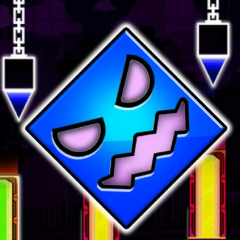
Geometry Dash Bit by Bit is a rhythm platformer that lets players customize game speed while mastering obstacle-filled levels with precise timing.
Fresh features of Geometry Dash Bit by Bit
The first thing I noticed in Geometry Dash Bit by Bit was that I wasn't controlling the same character every time. Different stages introduced various playable forms, making each run feel slightly different rather than the same formula.
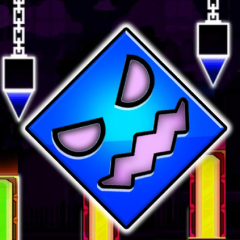
Avoid deadly hazards with accurate timing
Another detail I liked was the animated background. Rather than using static scenery, the game includes moving characters and decorative elements that make every level feel more alive. They don't interfere with the gameplay, but I had to avoid letting the visual effects distract me from the obstacles ahead.
The feature I appreciated most was the adjustable game speed. Before starting a level, I could choose between several speed settings:
- 0.2 times for carefully learning the obstacle layout
- 0.5 times for building confidence with the rhythm
- 1.0 times for the standard experience
- 2.0 times for an intense reflex challenge
Adjustable speed makes every run different
Geometry Dash Bit by Bit still delivers the classic Geometry Dash formula of jumping over spikes and avoiding deadly hazards with accurate timing. However, the adjustable speed system completely changes how I approached each level.
When I first encountered a difficult section, I lowered the speed to study every jump and memorize the obstacle order. After becoming comfortable, I gradually increased the speed until I could complete the level at normal pace. The controls felt familiar after playing Geometry Dash Lite or Geometry Dash Wave, but Bit by Bit adds a valuable practice system that makes learning much more enjoyable instead of relying entirely on repetition.
I think this feature benefits both beginners and experienced players. New players can reduce the difficulty while learning, and skilled players can push themselves by increasing the speed beyond the normal pace.
FAQs
What is the biggest difference from other Geometry Dash levels?
The ability to choose your gameplay speed gives you much more control over how you practice and improve.
Does the animated background affect gameplay?
No. The background is purely decorative, although it can become distracting if you lose focus.
Which speed should I choose first in Geometry Dash Bit by Bit?
I recommend starting at 0.2 times or 0.5 times to memorize the level before moving up to the normal or faster settings.