Crazy Geometry Dash overview
Crazy Geometry Dash is a fast-paced side-scrolling level where I guide a yellow cube through space-themed traps, portals, spikes, and tight jumps.
When I first tried the game, I quickly understood why this level has a reputation for being tough. It is a space-themed dash level and the first of three CraZy levels, with difficulty reaching the Hard Demon range.
I get the smiling yellow cube to the finish without touching anything dangerous. The problem is that the path keeps throwing spikes, portals, tricky surfaces, and sudden changes at me. Even when the character switches into a spaceship or another vehicle, one bad collision sends me straight back to the start.
How I play
The main trick is reacting quickly while keeping my eyes on the character. Depending on the Crazy Geometry Dash's section, I need to jump, fly, hover, roll, or drop at exactly the right moment.
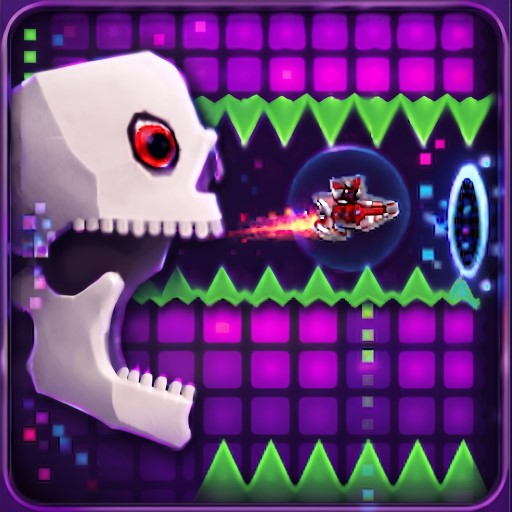
Jump, fly, hover, roll, or drop at exactly the right moment
Controls:
- Keyboard: Use the Arrow keys, Spacebar, or WASD.
- Mouse: Click repeatedly to control the character.
- Mobile: Tap repeatedly to move the character.
I also find it useful to play Geometry Dash Lite when I want a familiar feel and a little practice with rhythm-based movement before taking on harder challenges. The basic idea of watching the route and reacting to hazards carries over nicely.
My best strategies
I don't try to beat the whole level in Crazy Geometry Dash immediately. Instead, I repeat difficult sections until their obstacle patterns become familiar. After enough attempts, I start reacting from memory rather than panicking when something appears.
A few things that help me most:
- Replay tricky parts to memorize obstacle locations.
- Watch the space ahead instead of staring only at the cube.
- Keep my movements controlled when the route becomes crowded.
- Use repeated attempts to improve timing rather than rushing.
- Watch experienced Geometry Dash players to see how they handle difficult sections.
If I want more games in the same fast-paced rhythm platformer style, I can also check out other Geometry Dash levels such as Geometry Dash Wave Spam, Geometry Dash Deadlocked, and Geometry Dash Wave that focus on timing, reflexes, and quick reactions.
FAQs
Is Crazy Geometry Dash difficult?
Yes. It is designed as a challenging level, so expect plenty of failed attempts before the movement starts to feel natural.
What happens when I hit an obstacle in Crazy Geometry Dash?
The run immediately ends and restarts at the beginning, so precise timing is essential.
Can I play Crazy Geometry Dash with different controls?
Yes. Keyboard, mouse, and mobile touch controls are supported, giving me several ways to handle the level.